WinSCP gives a '/tmp' directory error while saving a changed file

Advertisement

BathindaHelper
Joined:
Posts:
8

WinSCP gives a '/tmp' directory error while saving a changed file

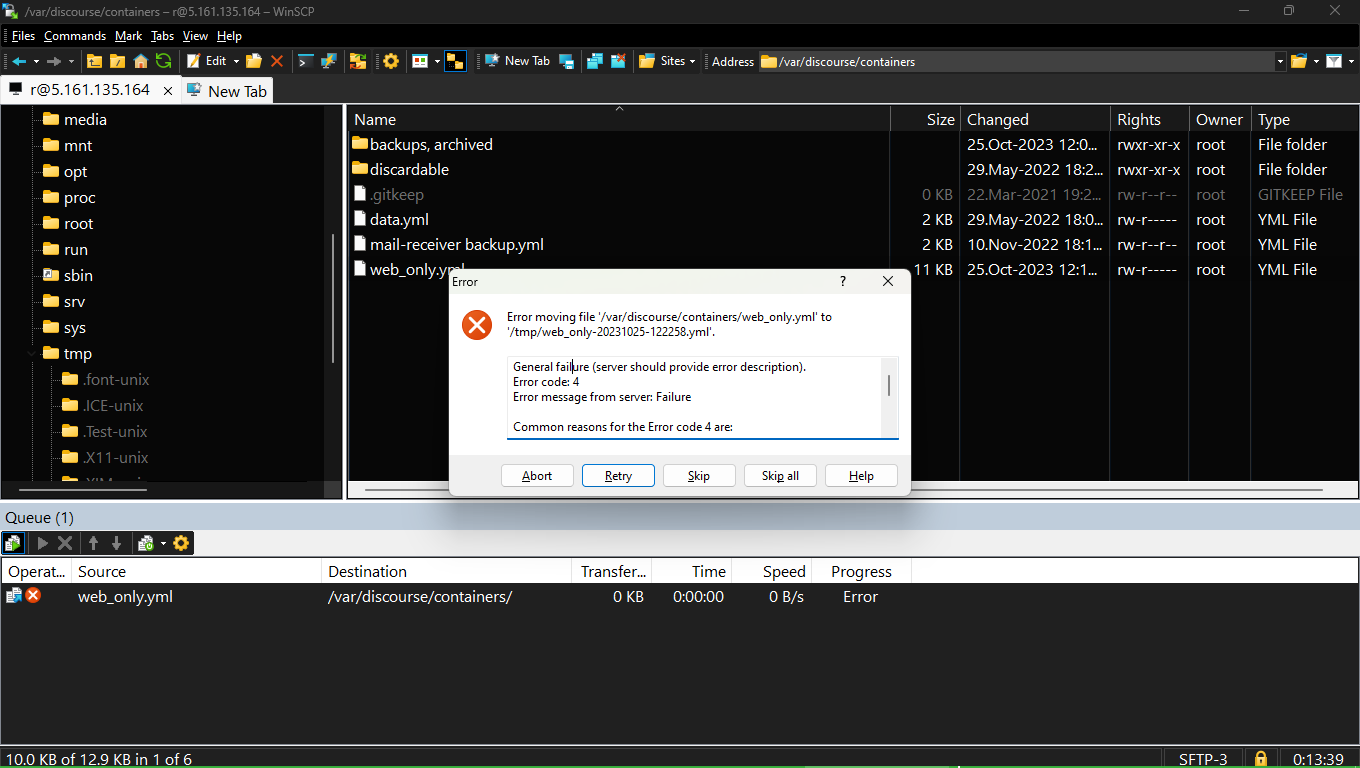
Even when I'm logged in as a root user to my remote Ubuntu22.04 server thru WinSCP 6.1.2, I get this error when I save a changed file (even though I found that the changes made by me are saved in that file, but these errors irritate).
See the screen shot here: https://i.stack.imgur.com/egbR0.png
The contents of the error (also showing partially in the attached screen shot) are:
General failure (server should provide error description).
Error code: 4
Error message from server: Failure

Common reasons for the Error code 4 are:
- Renaming a file to a name of already existing file.
- Creating a directory that already exists.
- Moving a remote file to a different filesystem (HDD).
- Uploading a file to a full filesystem (HDD).
- Exceeding a user disk quota.
I've not been able to find the option of 'Moving files to Recycle Bin' in WinSCP settings.

1.png

Reply with quote

Advertisement

BathindaHelper
Joined:
Posts:
8

How can we make use of Recycle bin option in WinScp, when WinScp is installed on Windows on local pc

I've WinSCP installed in Windows 11.
When I login to remote Ubuntu server, and turn on the option to use the 'Temp' folder as the 'Recycle Bin', and delete a file, it starts giving "Error 4: Server Failure" or something like that.
As far as I read, it is due to diff file systems in my local PC and remote Ubuntu.
Is there any solution to this problem, if I wanted to use Recycle bin on remote Ubuntu server?

Reply with quote

martin
Site Admin
martin avatar

Re: How can we make use of Recycle bin option in WinScp, when WinScp is installed on Windows on local pc

@BathindaHelper: No, it's probably because the remote file you are deleting is on a different file system than the /tmp. You have to configure the recycle bin to be on the same file system as the remote files you are working with.

Reply with quote

Advertisement

BathindaHelper
Joined:
Posts:
8

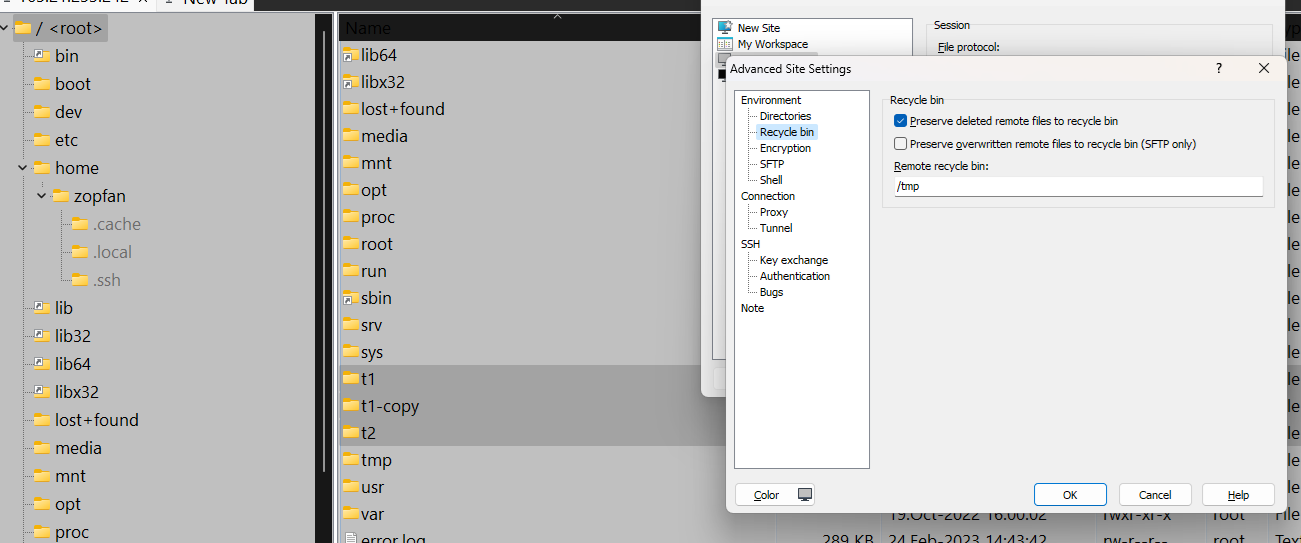
I created the /tmp folder in my remote linux server (actually it was already there) and in the site preferences I gave the path to recycle bin as /tmp.
But still I get the same error as mentioned in earlier/OP.

See attached screenshot.

1.png