- Woohall
- Joined:
- Posts:
- 8
- Location:
- Virginia
Portion of XML files on FTP is missing
Advertisement
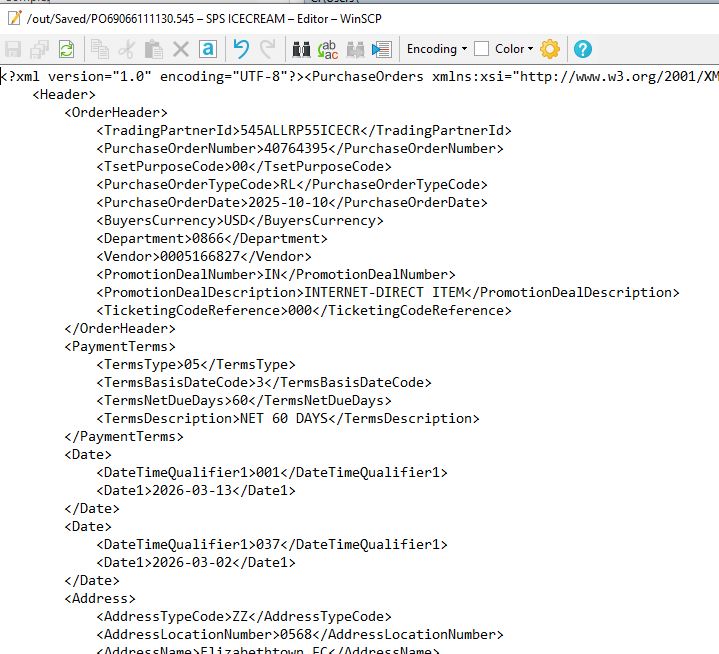
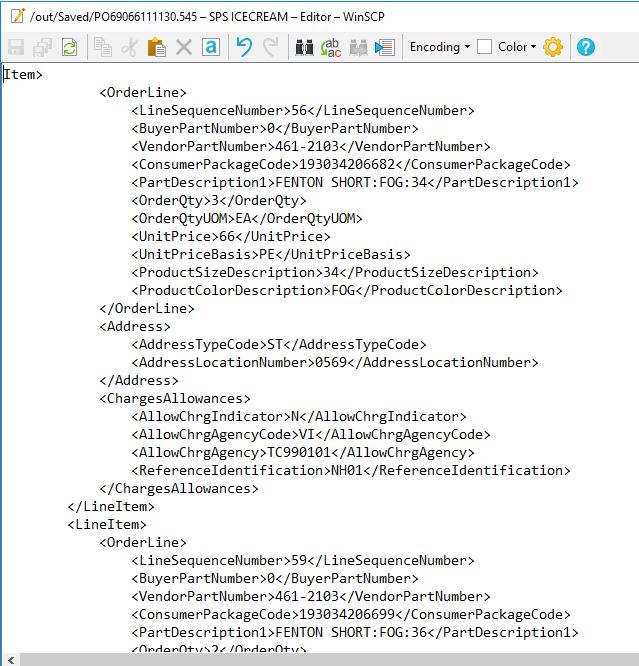
We have a very strange problem. I can open WinSCP (V 6.5.5) in Commander mode and go to a standard FTP (port 21). There are about 40 XML files in the folder. When I double-click on a file to view it, the file has about a 90% chance of showing complete. About 10% of the time, part of the file at the beginning is missing, and sometimes part of the file at the end is missing. If I click on another file and come back to the offending file, it will often open in its entirety. If I download a file to my hard drive, it also has about a 90% chance of being complete. This behavior is shown throughout the FTP site. I have tried clearing caches, uninstalling and reinstalling WinSCP, and nothing has fixed this. I should also say that our ERP is erroring out when trying to read the files, so it is experiencing the same issue. The vendor who is providing the FTP and is placing the files on the FTP swears they do not see the problem at their end. Any ideas would be greatly appreciated!!
Advertisement
-
martin◆
Site Admin -
- Joined:
- Posts:
- 42,646
- Location:
- Prague, Czechia
Re: Portion of XML files on FTP is missing
Well, it looks like the FTP server is broken.
If you were missing a data at the end of a file, it might be caused by network interrupting the transfer. But I cannot imagine any other cause of missing data at the beginning of a file, than a broken server.
I assume that if you repeat your download test with any other FTP client, you get the same problem, right? You might also try the download test on another network, but I assume you get the same results.
If you were missing a data at the end of a file, it might be caused by network interrupting the transfer. But I cannot imagine any other cause of missing data at the beginning of a file, than a broken server.
I assume that if you repeat your download test with any other FTP client, you get the same problem, right? You might also try the download test on another network, but I assume you get the same results.
Not sure if it's the FTP Server or no
Hi- Thanks for responding. This is happening on my computer and my ERP server. It is also happening for a consultant on her machine at her location on her own network. The vendor who operates the FTP server says they can't replicate the problem. I took a brand new machine and installed an FTP client and can't replicate the issue. It seems like a timing/timeout issue or an overflowing cache but I can't figure it out. Any other suggestions?
- Guest
Regardless of anything else, "part of the file at the beginning is missing", if this is happening, it only makes sense here either from server side issue where beginning bytes are skipped such as file start position or transfer loop bug, or from a client wrongly requesting a file start position that's not 0 where that's possible (if you don't know what this refers to eg file transfer resume does this and its how files are resumed).
In other words, if the server sends the first chunk of the file as it should be doing, then WinSCP would be receiving it and saving it and the beginning would be there. A client can request a different start position though where possible to do so, and then that too can chop off a beginning of a file if its wrongly done.
There are other conceivable possibilities but the probability drops a lot and you already have two locations, etc tested so nothing else is expected.
"timing/timeout issue or an overflowing cache" isn't going to have the beginning go missing here. Transfer code classes are simple except for the server file send preparation to get to the transfer byte loop. Far more server side code possibilities do exist for bugs than anything in the client transfer loop. The client really just requests and then waits for bytes. The server is where things tend to go wrong. Just because they didn't reproduce it doesn't ever mean problems don't exist.
In other words, if the server sends the first chunk of the file as it should be doing, then WinSCP would be receiving it and saving it and the beginning would be there. A client can request a different start position though where possible to do so, and then that too can chop off a beginning of a file if its wrongly done.
There are other conceivable possibilities but the probability drops a lot and you already have two locations, etc tested so nothing else is expected.
"timing/timeout issue or an overflowing cache" isn't going to have the beginning go missing here. Transfer code classes are simple except for the server file send preparation to get to the transfer byte loop. Far more server side code possibilities do exist for bugs than anything in the client transfer loop. The client really just requests and then waits for bytes. The server is where things tend to go wrong. Just because they didn't reproduce it doesn't ever mean problems don't exist.
- Guest
BTW, a different client, client settings, etc can affect the server. So, a number of things may affect it and may work better for you.
Its not possible to know what the server is doing. FTP server side logs would help. The client log can only show client stuff or what the server sends to it. FTP server logs could tell you exactly what is happening but you may not have access to that.
Advertisement
Portion of XML files on FTP is missing
Thank you so much for replying. I will try to work with the folks running the server side, but they are difficult to deal with. I agree with you, however, as we have 20 other FTPs with other vendors and all work fine. I'll keep you posted. If you or anyone else has any comments, please share. Thanks!
-
martin◆
Site Admin -
Re: Not sure if it's the FTP Server or no
@Woohall: So please post WinSCP session log file showing both complete and incomplete download.
- Woohall
- Joined:
- Posts:
- 8
- Location:
- Virginia
Not sure if FTP server or not
@Martin-
I have attached two logs, one for a file that is missing the beginning and one that is not. Any help is greatly appreciated.
Thanks!
Woohall
I have attached two logs, one for a file that is missing the beginning and one that is not. Any help is greatly appreciated.
Thanks!
Woohall
-
martin◆
Site Admin -
Re: Not sure if FTP server or not
Can you try forcing binary transfer mode?
https://winscp.net/eng/docs/ui_transfer_custom
Advertisement
- Woohall
- Joined:
- Posts:
- 8
- Location:
- Virginia
Not sure if FTP server or not
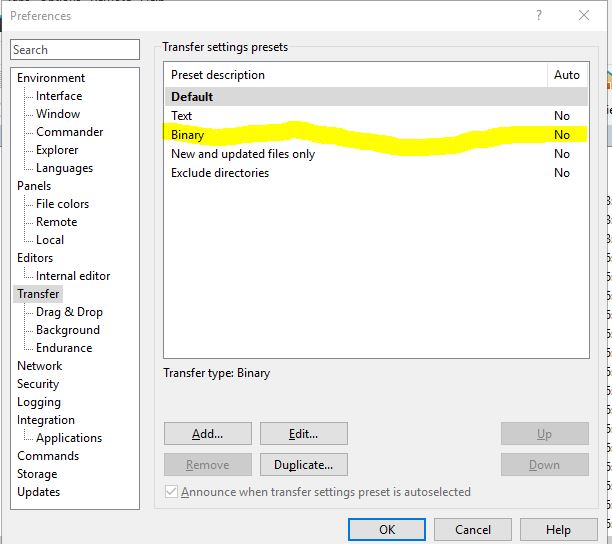
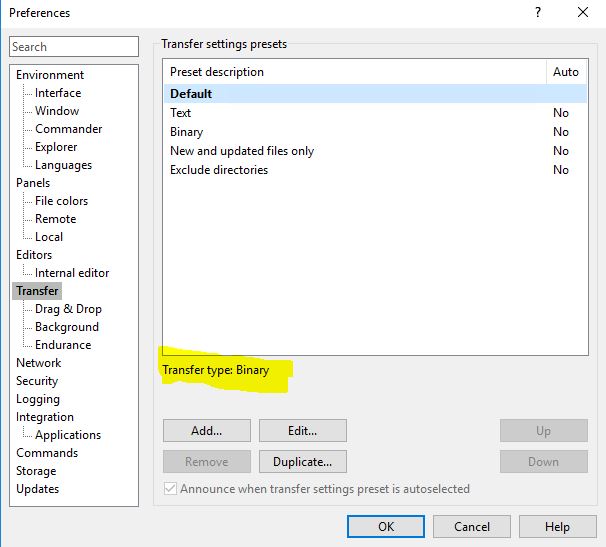
Thanks, @Martin. Before I do that, this only effects the reading of the file, correct? It has no impact on the actual transmissions? I also checked for the setting and it says the default is binary, please see attached. Do I need to somehow get Binary to say yes on the other attachment? If so, how do I do that?
-
martin◆
Site Admin -
Re: Not sure if FTP server or not
Ok, so the logs were probably for editing the file, not for simple download, right? (because editing in the internal WinSCP editor implies text mode transfer).
So can you post logs for download (not edit). And mainly for downloads of the same file, that once results in incomplete and once in complete file. Thanks.
- Woohall
- Joined:
- Posts:
- 8
- Location:
- Virginia
Not sure if FTP server or not
Thanks, @Martin. I have attached the logs for downloaded files. I right-click on the same file and downloaded it. I have logs for when the beginning of the file was missing and when the beginning was not missing. Thanks so much for your help!
-
martin◆
Site Admin -
Re: Not sure if FTP server or not
Thanks. The log shows the same size of both transfers. Can you repeat the test and this time attach not only the logs but also both downloaded files?
Advertisement
- Woohall
- Joined:
- Posts:
- 8
- Location:
- Virginia
Re: Not sure if FTP server or not
Hi @Martin-
I have attached logs and downloaded files for the same file that downloaded complete and incomplete. It looks like it still says they are the same size, but the files are different. I had to upload across two messages since max attachments is 3. This first one is for the complete file download and log. Thanks for all your help!
- Woohall
- Joined:
- Posts:
- 8
- Location:
- Virginia
Re: Not sure if FTP server or not
Hi @Martin-
I have attached logs and downloaded files for the same file that downloaded complete and incomplete. It looks like it still says they are the same size, but the files are different. I had to upload across two messages since max attachments is 3. This second reply is for the file download and log that is missing the beginning. Thanks for all your help!
-
martin◆
Site Admin -
Re: Not sure if FTP server or not
Thanks for the logs. So it's not that part of the file at the beginning is missing, but rather that parts of the file are randomly shuffled.
Again, I believe it's a server-side bug.
Advertisement
You can post new topics in this forum